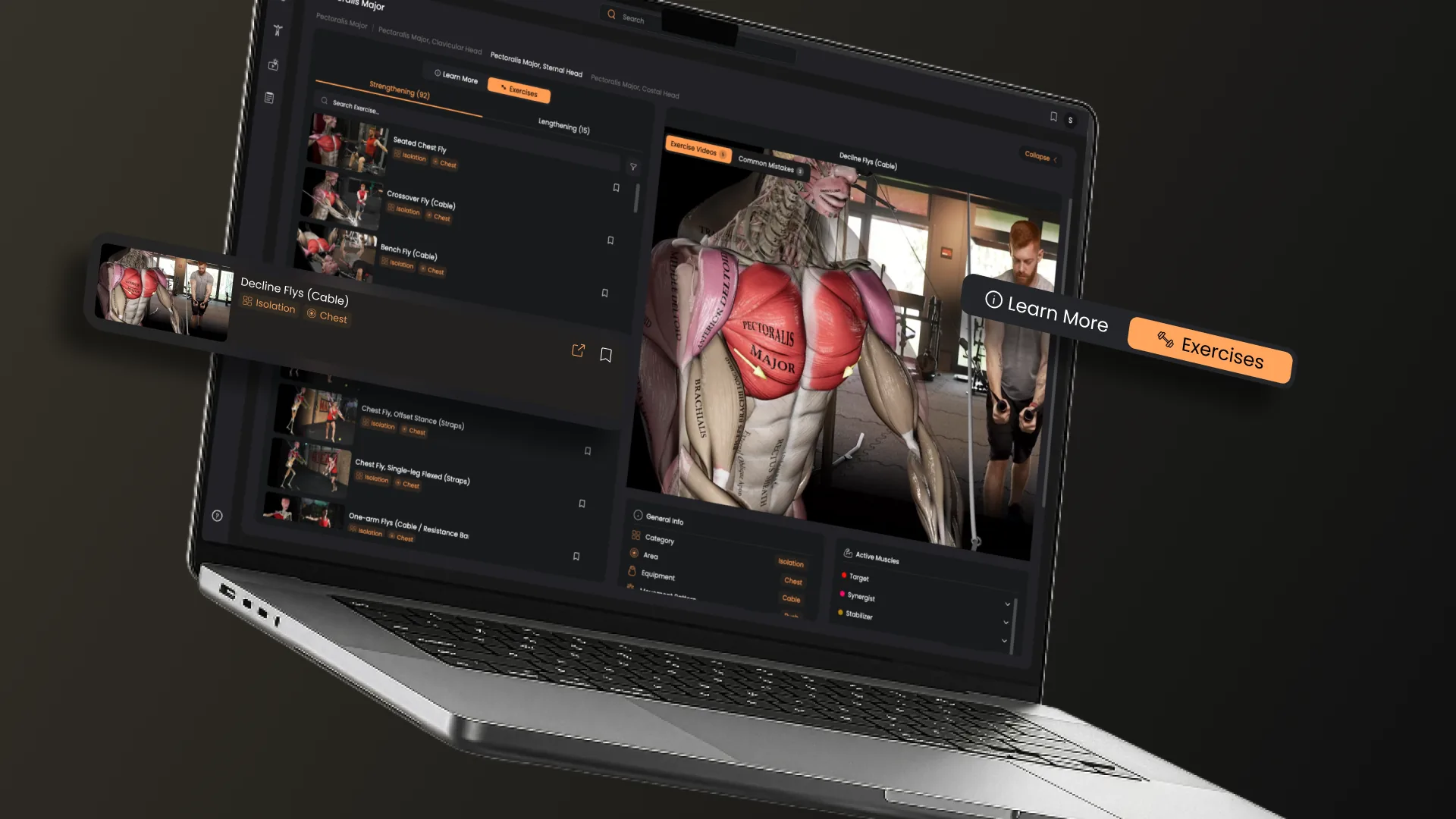
The expanded sidebar (Available in our web app version) shows the same 3D model information in a larger, clearer space. The model stays active in the background, so you can keep rotating, zooming, and selecting while you read.
What’s new
A bigger, clearer view. Details now have space. The text is easier to read, and related information sits together rather than being squeezed into a narrow column. For instructors and teachers, this is a major update: you can now share your screen with your class and demonstrate the movement of each muscle in a large video, with all the info in one place!
Muscle and joint movements. See how a muscle acts and how a joint moves, right next to the structure on screen.
Origin and insertion details. Attachment points are laid out in a clean view, so you can check where a muscle starts and ends without hunting for it.
Related learning content. Go a step deeper from the same panel, with content linked to the structure you’re studying.
A new way to explore exercises. In the Strength Training web app, there is an option to also get a list of all exercises (strengthening and lengthening) for the muscle you clicked on. So this is a new way for you to explore exercises in a fast, intuitive way.
How to use it
- Open one of our web apps (Strength Training, Yoga, Posture, Anatomy)
- Go to the main menu, then choose the 3D Model
- Select any muscle or joint on the 3D model.
- Open the sidebar and tap the expand icon in the top-right corner.
- Explore movements, origin, and insertion, and related content.
Muscle & Motion Team
At Muscle and Motion, we believe that knowledge is power, and understanding the ‘why’ behind any exercise is essential for your long-term success.
Let the Strength Training App help you achieve your goals! Sign up for free.